Viral Strategy
Get AI-generated content strategy recommendations tailored to your page
The Viral Strategy feature analyzes your page's data and generates AI-powered recommendations to help your content reach more people.
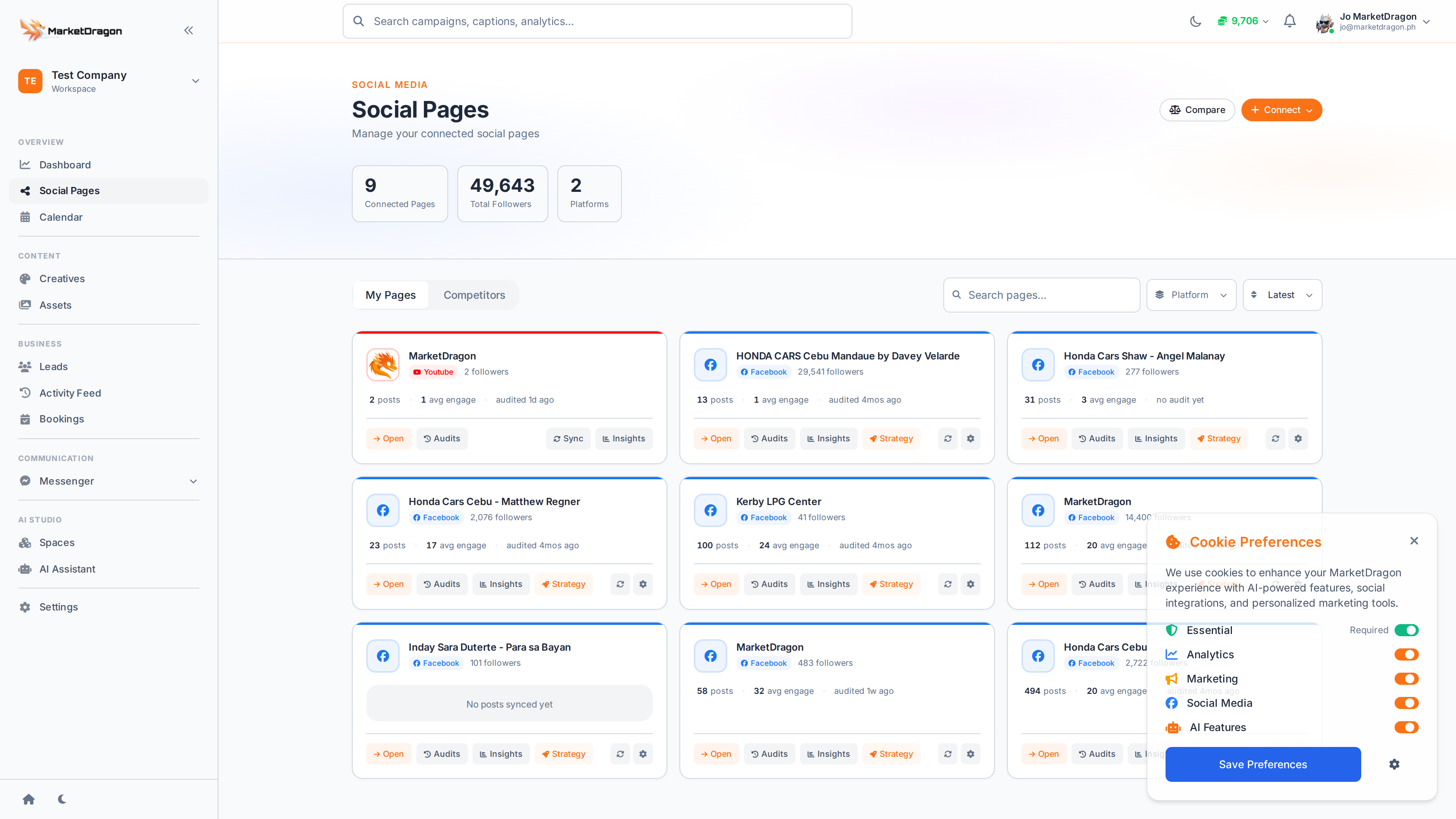
Accessing Viral Strategy
- Go to Social Pages and click on a connected page
- Click Viral Strategy in the page sub-navigation
What You Get
The AI evaluates your recent posts, audience behavior, and platform trends to produce:
Content Recommendations
- Best posting times based on when your audience is most active
- Content format suggestions -- whether to focus on video, carousel, or single images
- Topic ideas aligned with trending subjects in your niche
Engagement Tips
- Recommended caption length and style
- Hashtag suggestions
- Call-to-action phrasing that drives interaction
Competitor Insights
If you have added competitors in the Competitors tab, the strategy also factors in what is working for similar pages.
Applying the Strategy
Use the recommendations as a guide when creating posts:
- Review the suggested posting times
- Plan your calendar around those windows
- Experiment with recommended formats
- Track results in Insights to see what resonates
Tip: Re-run the strategy periodically. As your audience grows and trends shift, the recommendations will evolve.
Next Steps
Video tutorial coming soon
A video walkthrough for this tutorial is being produced. Switch to Read mode for the full written guide.