Questionnaires
Build interactive questionnaires to qualify leads through conversation
Questionnaires let you ask a series of targeted questions to qualify leads automatically. When a customer triggers a questionnaire, they are guided through a structured conversation that captures their answers and updates their lead record.
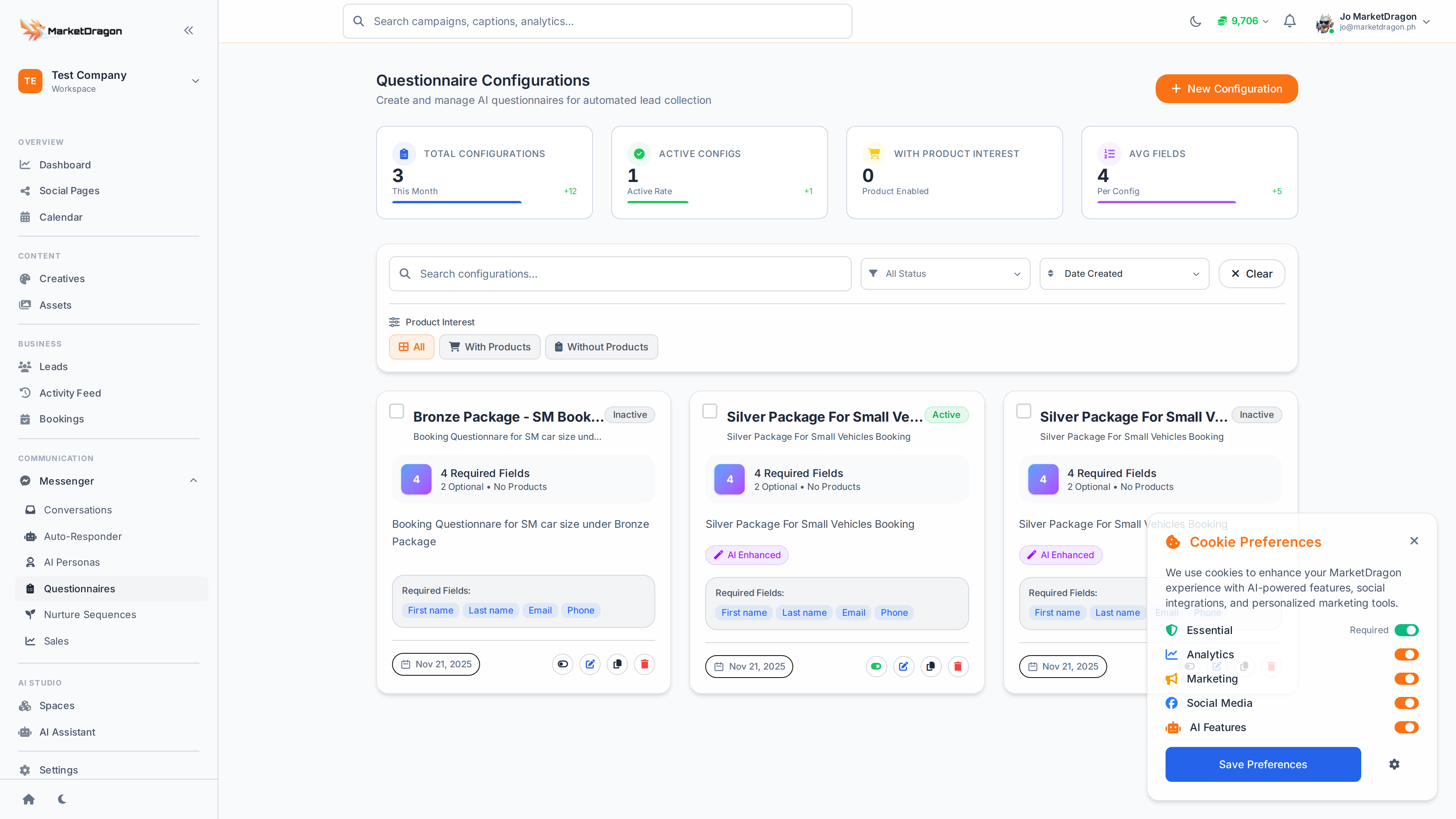
Accessing Questionnaires
Click Questionnaires in the sidebar to view and manage your questionnaire configurations.
Creating a Questionnaire
- Click Create Questionnaire
- Give the questionnaire a name (e.g., "New Lead Qualification")
- Add questions in sequence:
- Question text -- What to ask the customer
- Response type -- Free text, multiple choice, or yes/no
- Follow-up logic -- What happens based on the answer
- Set the trigger -- how the questionnaire starts (e.g., when a lead is created or a keyword is matched)
- Click Save
Question Types
| Type | Description | Example |
|---|---|---|
| Free text | Customer types any response | "What is your budget range?" |
| Multiple choice | Customer picks from options | "Which service interests you?" with A/B/C buttons |
| Yes/No | Simple binary choice | "Are you ready to book a call?" |
How It Works in Practice
- A trigger activates the questionnaire (new lead, keyword, or manual start)
- The first question is sent to the customer via Messenger
- The customer responds
- The answer is saved to their lead record
- The next question is sent
- After the last question, a summary is saved and the lead is updated
Viewing Responses
Questionnaire answers are stored on the lead record. Go to Leads, click a lead, and view their questionnaire responses in the activity section.
Best Practices
- Keep questionnaires short (3-5 questions)
- Start with easy questions and build to more specific ones
- Use multiple choice when possible to reduce friction
- End with a clear next step ("We'll call you within 24 hours")
Tip: Pair questionnaires with auto-responders. When someone asks about pricing, trigger a qualification questionnaire to gather their needs before responding with a quote.
Next Steps
Video tutorial coming soon
A video walkthrough for this tutorial is being produced. Switch to Read mode for the full written guide.