Nurture Sequences
Create automated multi-step workflows to nurture leads over time
Nurture Sequences are automated workflows that send a series of messages to leads over time. Instead of manually following up, you define the sequence once and MarketDragon handles the rest.
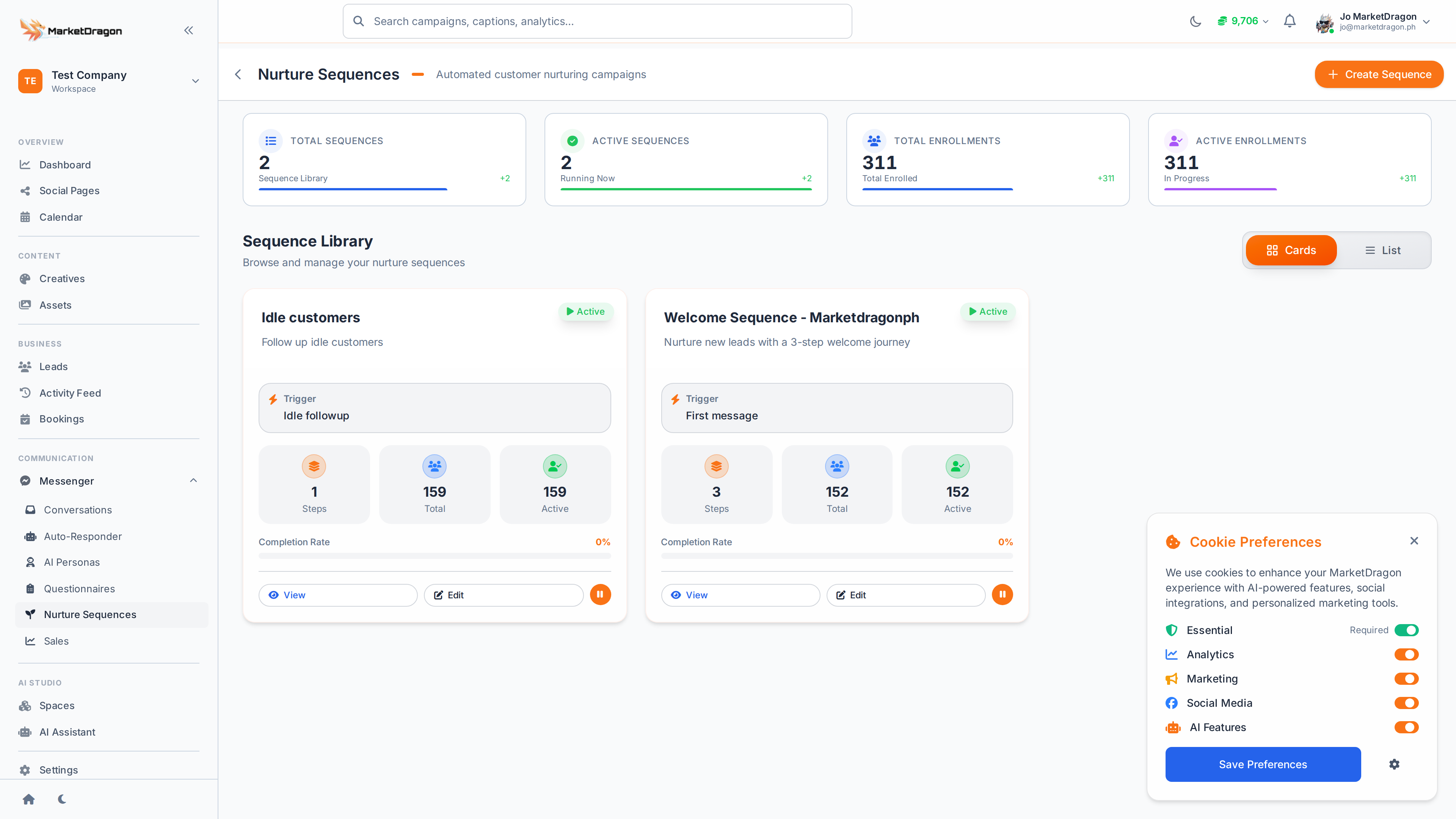
Accessing Nurture Sequences
Click Nurture Sequences in the sidebar to view and manage your sequences.
How Sequences Work
A nurture sequence is a series of steps, each with a message and a delay:
- Step 1 (immediately) -- "Thanks for reaching out! Here's what we can help with..."
- Step 2 (after 1 day) -- "Did you get a chance to look at our services?"
- Step 3 (after 3 days) -- "We'd love to schedule a quick call. Book a time here: [link]"
Each step fires automatically based on the delay you configure.
Creating a Sequence
- Click Create Sequence
- Name the sequence (e.g., "New Lead Follow-Up")
- Add steps:
- Message content -- What to send at this step
- Delay -- How long to wait before sending (minutes, hours, or days)
- Condition (optional) -- Only send if a condition is met
- Configure the entry trigger -- what enrolls a lead into this sequence
- Click Save and activate the sequence
Entry Triggers
A lead enters a sequence when:
- They are created from a specific source
- They complete a questionnaire
- They reach a specific status in the CRM
- You manually enroll them
Step Conditions
You can add conditions to individual steps:
- Skip if responded -- Do not send if the lead has already replied
- Skip if booked -- Do not send if the lead has booked an appointment
- Skip if status changed -- Do not send if the lead moved to a different stage
Monitoring Sequences
The sequence list shows:
- How many leads are currently enrolled
- How many completed the full sequence
- Drop-off rate at each step
Best Practices
- Keep sequences short (3-5 steps)
- Space messages appropriately -- do not overwhelm leads
- Always include a clear call to action in each step
- Use conditions to stop messaging leads who have already converted
Tip: Create separate sequences for different lead sources. A lead from a Facebook comment needs different nurturing than one from a booking page.
Next Steps
Video tutorial coming soon
A video walkthrough for this tutorial is being produced. Switch to Read mode for the full written guide.