What Changed In Seedance 2.5 — And What Got Smaller
A 30,000-character prompt cap, clips up to 30 seconds, and reference video. But the resolution ceiling went down, not up.

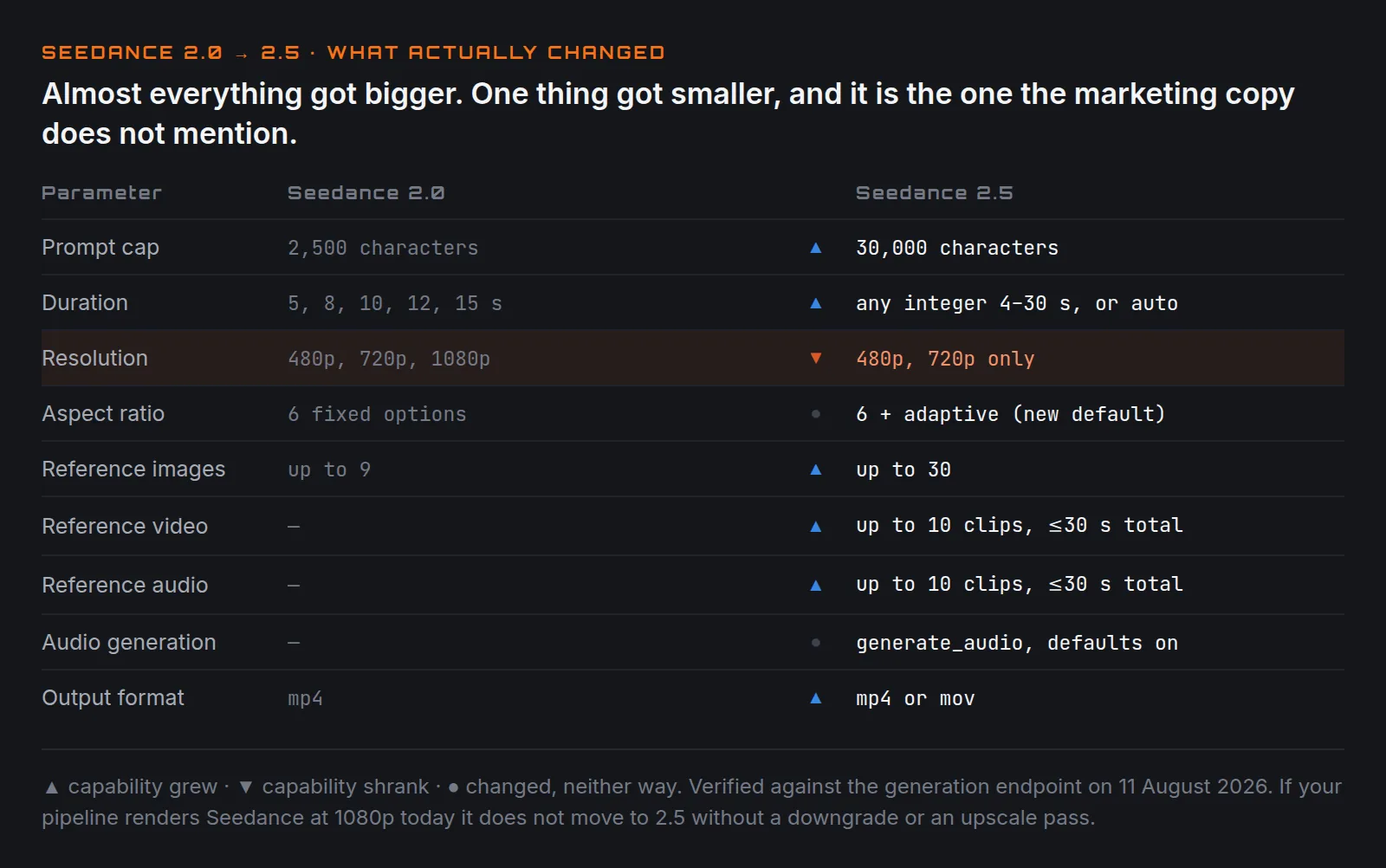
Seedance 2.5 is a bigger jump than a point release usually implies. The prompt cap went up twelve-fold, clips got twice as long, and it accepts reference video — something 2.0 could not do at all.
It also lost 1080p.
That last one is easy to miss, because the marketing copy around 2.5 talks about
4K. On the generation endpoint, the resolution options are 480p and 720p.
That's it. If you have a pipeline that renders Seedance at 1080p today, it does
not move to 2.5 without a downgrade or an upscaling pass.
Side by side
| Seedance 2.0 | Seedance 2.5 | |
|---|---|---|
| Prompt cap | 2,500 characters | 30,000 characters |
| Duration | 5, 8, 10, 12, 15 | any integer 4–30, or auto |
| Resolution | 480p, 720p, 1080p | 480p, 720p only |
| Aspect ratio | 6 fixed options | 6 + adaptive (new default) |
| Reference images | up to 9 | up to 30 |
| Reference video | — | up to 10 clips, ≤30s total |
| Reference audio | — | up to 10 clips, ≤30s total |
| Audio generation | — | generate_audio, defaults on |
| Output format | mp4 | mp4 or mov |
The prompt cap is the headline
30,000 characters is roughly 4,500 words. For scale: that is twelve times Seedance 2.0, thirty times Kling 2.6, and larger than any image model in common use except GPT Image 2.
Whether you should use all of it is a separate question, and the answer is almost certainly no. Prompt length only helps while every clause is a decision — past that you are adding noise, and a 4,500-word shot description is not a shot description, it's a screenplay. The practical benefit of a cap this large is that you stop having to budget. On 2.0 a detailed camera clause plus a style block plus a character description could genuinely run you into the 2,500 ceiling and get silently truncated. On 2.5 that pressure disappears.
Duration is now continuous, and that matters more than the maximum
The jump from 15 to 30 seconds gets the attention, but the more useful change is that the ladder is gone. 2.0 offered five fixed durations. 2.5 accepts any integer from 4 to 30.
Four-second clips are genuinely useful — a reaction beat, a cutaway, a texture insert — and no previous Seedance could make one. If your output goes into a fast-cut edit, that granularity saves a trim on every clip.
There is also -1 for automatic duration, where the model chooses based on the
prompt. Useful for exploration, risky for anything with a fixed edit slot.
Longer clips are not free of consequences
Thirty seconds is a long time for a generative video model to hold coherence. The standard failure mode — drift away from the first frame, subjects subtly changing between the start and end of a shot — has twice as long to accumulate.
Cost scales linearly too. A 30-second render is six times a 5-second one, and at 720p that is not a trivial per-attempt cost to be iterating on. The sensible pattern is unchanged and matters more here than it did on 2.0: find the shot at 480p and a short duration, then re-run the approved prompt at the length and resolution you actually need.
adaptive is the new default aspect ratio
Worth flagging because it changes behaviour silently. 2.0 defaulted to 16:9.
2.5 defaults to adaptive, meaning the model picks based on the prompt and any
reference inputs.
If you are switching a pipeline from 2.0 to 2.5 and not setting aspect_ratio
explicitly, your output shape is now decided by the model. Set it explicitly.
This is the sort of change that produces a batch of wrongly-shaped video nobody
notices until review.
Audio generates by default
generate_audio defaults to true. 2.0 had no such parameter.
If you are generating clips destined for an edit with its own sound design, you are now getting audio you didn't ask for and will discard. Set it to false and save yourself the surprise.
Reference video is the real capability jump
2.5 accepts up to ten reference videos totalling thirty seconds. Nothing in the 2.x line could do this before, and it changes what's possible for anything where the thing you want to convey is motion rather than appearance — choreography, a specific camera move, a physical action with a particular rhythm.
Describing complex motion in words has a low ceiling. "He pivots and throws a left hook" underdetermines the shot so badly that two renders share almost nothing. Showing the model the movement is a different kind of instruction.
Two caveats. First, sending video input moves you onto a different pricing tier at the provider, calculated on input plus output duration rather than output alone — worth understanding before you build a pipeline around it. Second, this is a capability, not a guarantee: how faithfully 2.5 follows reference motion is something to test on your own footage rather than take on trust.
Should you switch?
Move to 2.5 if you need clips longer than 15 seconds, you want durations between the old fixed steps, you've been fighting the 2,500-character cap, or you have reference footage for the motion you want.
Stay on 2.0 if you need 1080p out of the model directly. That's the one straightforward reason, and it's a real one.
Either way, set aspect_ratio and generate_audio explicitly. Both changed
their defaults, and both fail quietly rather than loudly.
Parameters verified against the model documentation on 11 August 2026. Providers revise these without notice — treat the table as a snapshot. This post deliberately makes no claims about output quality or prompt adherence; those need testing, not reading.
Keep reading
Same shelfShot Sizes, And Why "Close-Up" Isn't Specific Enough
Wide, medium, close-up, extreme close-up. How much of the subject is in frame is the single most reliable control you have over an AI shot.
The Anatomy Of A Prompt That Still Works Next Quarter
Subject, action, setting, camera, light, style. Six slots. Fill them in that order and most of what people call prompt engineering disappears.
Veo 3.1 Fast vs Quality — Which One to Use
Same prompt limit, same aspect ratios, same seed control. Here is how Fast and Quality really differ, and when each one is worth it.