Bloop
On every plan
Bloop
On every plan
Ask anything.
Make anything.
Bloop is the assistant in every workspace. Ask him for a script, a poster or a short clip and he makes it in the conversation. When an answer is worth keeping, he turns it into a file you can print.
- No card to start
- Everyday chat included (fair use)

Three modes. Say it the way you would say it to a person.
Pick Write, Image or Video, or just ask. These are the starters waiting in the app.
Scripts, ideas, answers, files
- “Outline a 60-second short film”
- “Turn my notes into a printable PDF”
- “Brainstorm a film title”

Posters, stills, product shots
- “Design a film poster”
- “A product shot on a clean backdrop”
Short clips and scenes
- “A slow push-in on a rainy neon street”
- “A cat leaping onto a windowsill at dawn”
Already have a picture? Attach it and ask him to swap the background, relight it or take something out, or to make it move with your picture as the first frame.
One assistant, the models you'd pick anyway.
Switch model per message — Write, Image or Video.
- Anthropic Claude
- DeepSeek DeepSeek
- OpenAI GPT
- Alibaba Z-Image · Qwen · Wan
- Black Forest Labs Flux
- ByteDance Seedream
- Google Imagen · Nano Banana
- Ideogram Ideogram
- OpenAI GPT Image
- xAI Grok Imagine
- Alibaba Wan
- ByteDance Seedance
- Google Veo · Gemini
- Kuaishou Kling
- MiniMax Hailuo · MiniMax
- PixVerse PixVerse
- Runway Gen-4
- xAI Grok Imagine
Model list changes as new models ship.
When an answer is worth keeping, ask for the file.
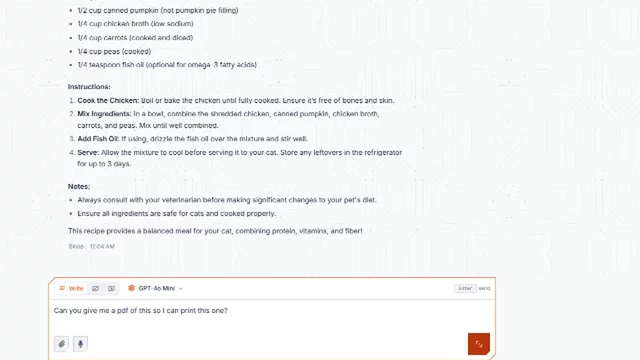
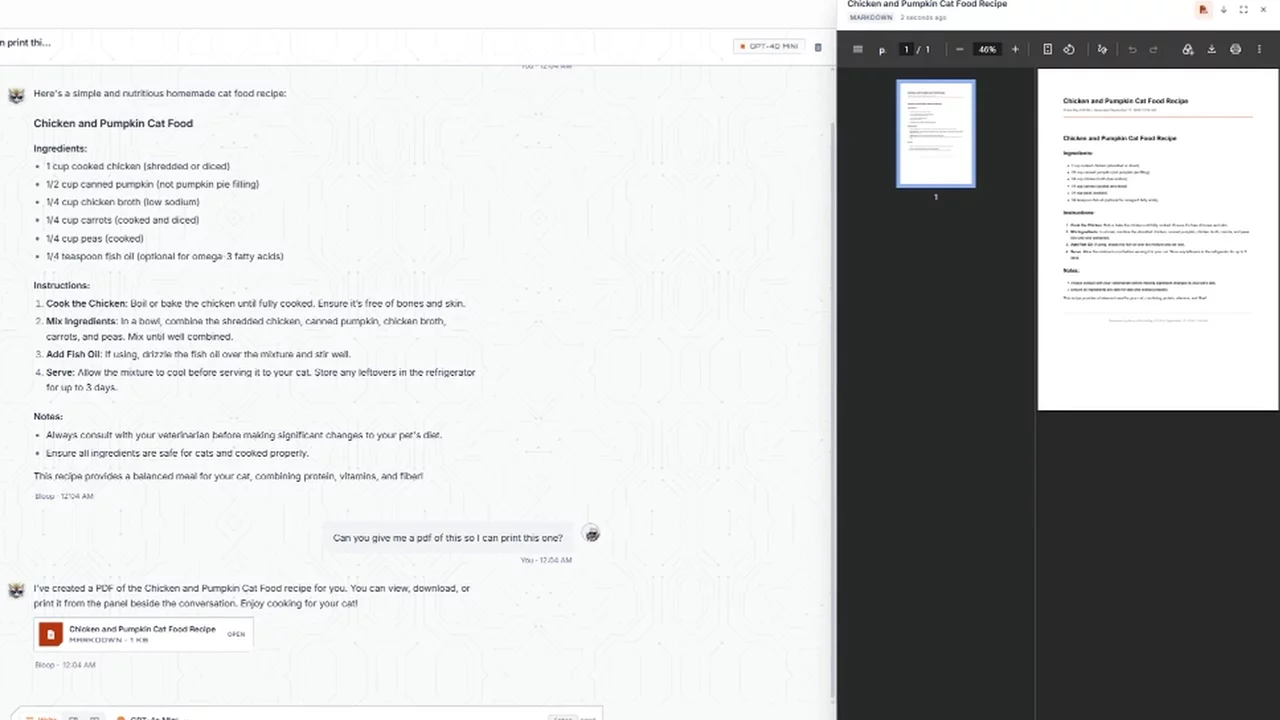
The recipe in the recording became a printable PDF with one sentence.
-
01
Ask for it
"Can you give me a PDF of this so I can print it?" is enough.
-
02
It opens beside the chat
The document lands in a panel next to the conversation, so the thread stays where you left it.
-
03
Read, download, print
Written documents print as a PDF, tables download as CSV and code as its own file. Ask again and he revises the same file.
Ask Bloop. Direct in the Forge. Build in Spaces.
For one thing, now: an answer, a file, a picture or a clip.
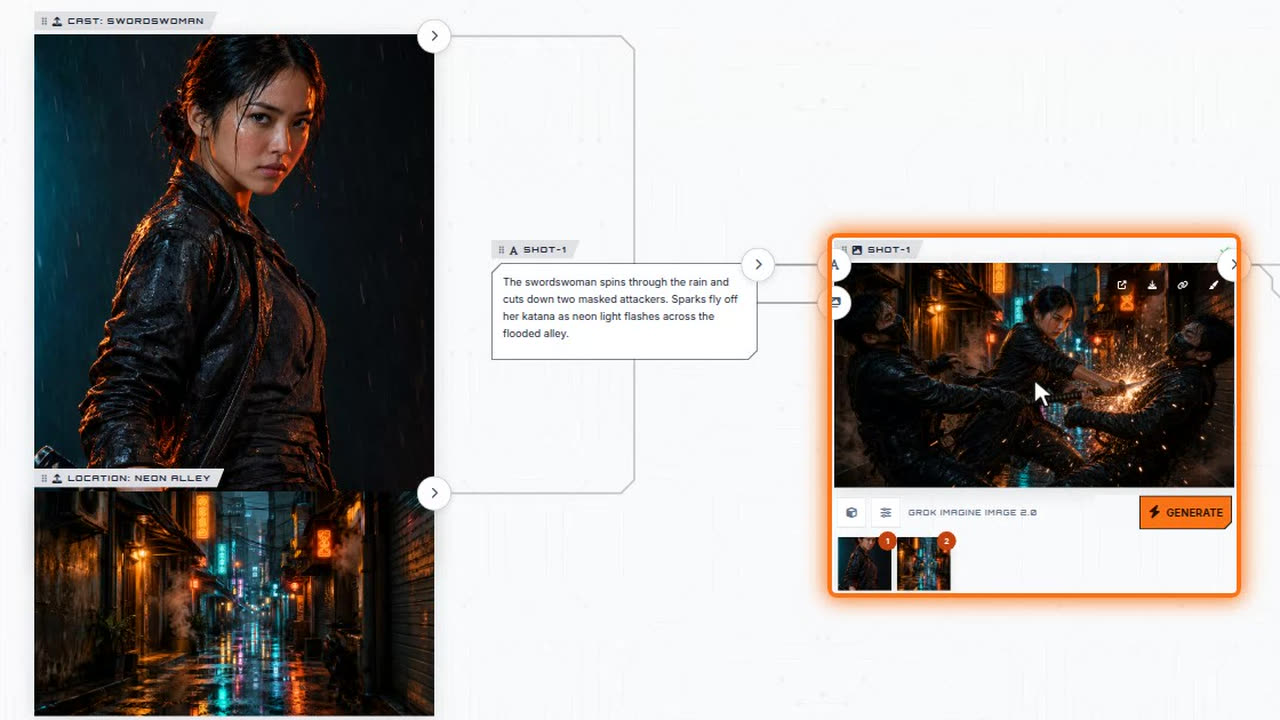
The Director writes the script, casts it, builds the board and renders every shot.
See the Forge SpacesWire image, video and audio steps into one board once, then run it for the next batch.
See SpacesTalking is included. Making a picture or a clip spends credits.
Included on every plan, the free one too, under our fair usage policy. That covers answers, outlines and the documents he writes on the included chat models.
These spend credits. In Image and Video mode the app shows the cost before you send.
Some chat models cost credits for each message. You choose the model, and the included ones cost nothing.
Plans and credit packs are on the pricing page.
Questions about Bloop

Your first question is one sign-up away.
Bloop is in your workspace from the moment you sign up, on the free plan and every plan above it. No card to start.