Your Prompt Is Probably Being Truncated And Nothing Told You
Prompt caps across current image and video models range from 1,000 to 20,000 characters. Go over, and the tail is usually dropped in silence.

There is a failure mode that produces no error, no warning, and no obvious sign anything went wrong: you write a long prompt, the model accepts it, and quietly renders only the first part of it.
You get a result. It's just not the result you asked for, and the reason is invisible.
The caps are wildly inconsistent
These are the documented prompt limits for models in current use. The spread is roughly twenty to one.
| Model | Type | Prompt cap (characters) |
|---|---|---|
| Kling 2.6 | Video | 1,000 |
| Seedance 2.0 | Video | 2,500 |
| Seedream 4.5 | Image | 3,000 |
| Veo | Video | 5,000 |
| Kling 3.0 | Video | 5,000 |
| Flux 2 Pro | Image | 5,000 |
| Nano Banana Pro | Image | 10,000 |
| GPT Image 2 | Image | 20,000 |
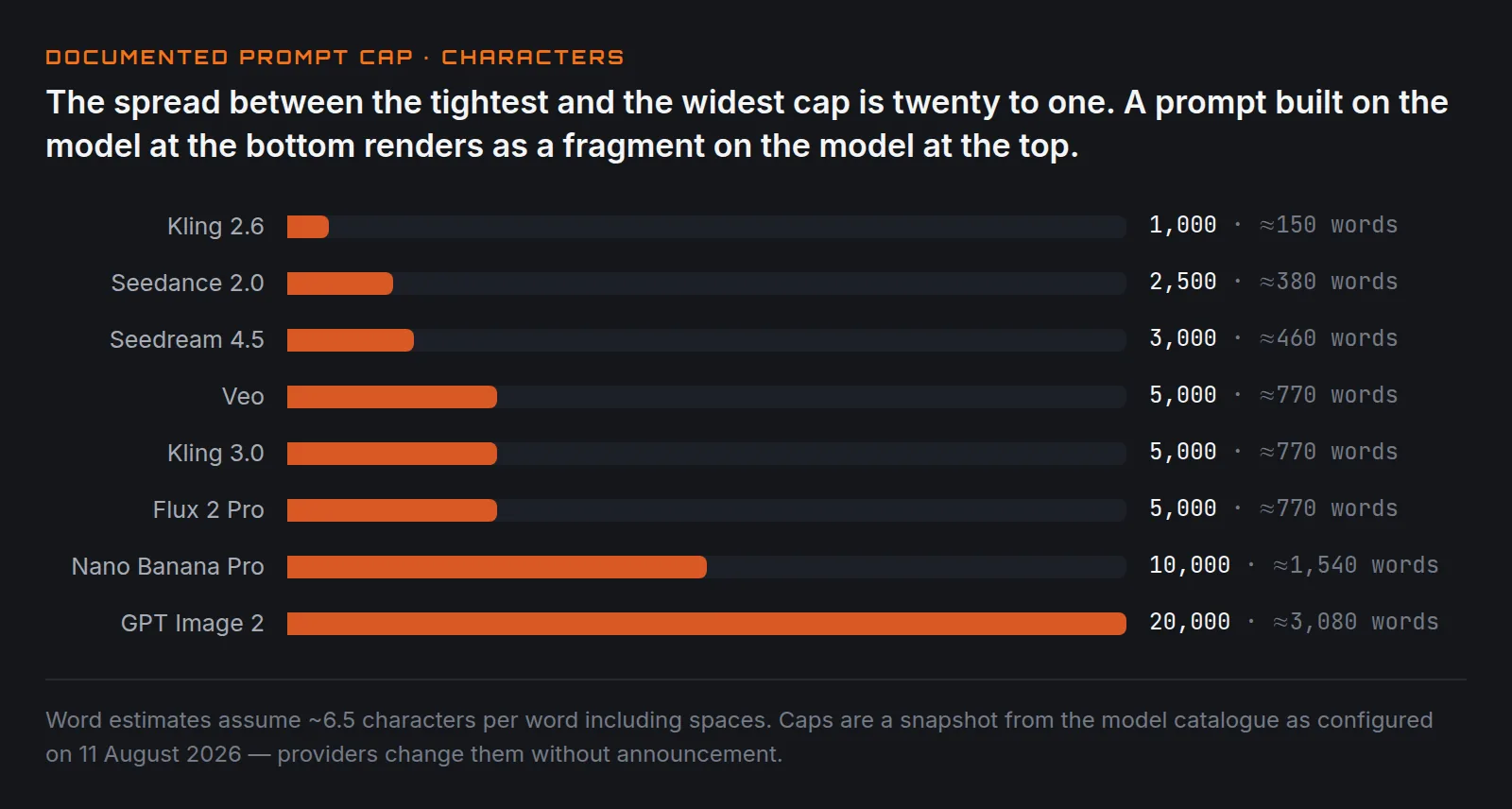
A prompt that works comfortably on GPT Image 2 can be cut to a fifth of itself on Kling 2.6. If you build a prompt template on the most permissive model and then reuse it across a pipeline, the shorter-limit models will render a fragment.
Why you don't notice
Truncation doesn't look like an error. It looks like a mediocre result.
The clauses that get dropped are the ones at the end — and because most people write subject first and style, lighting and camera detail last, the parts that get cut are exactly the parts that were doing the differentiating work. What comes back is a competent generic version of your subject. Which is indistinguishable from "the model just isn't very good", so that's usually the conclusion drawn.
Put the load-bearing clauses first
The practical defence costs nothing: order your prompt so that if the tail is lost, you lose the least.
- Subject and action — without these there is no image
- Camera — shot size and angle change the composition fundamentally
- Setting
- Light
- Style and finish — the most survivable to lose
This is a slightly different order from the one you'd write for readability, and it's worth the trade. If the last 400 characters vanish, losing "shot on 35mm, subtle grain" is recoverable. Losing "low angle, medium shot" is not.
Measure before you send
Character count, not word count — the limits are in characters and a descriptive prompt averages six to seven characters per word including spaces. A 1,000-character cap is roughly 150 words. That is much shorter than most people's mental model of a "detailed" prompt.
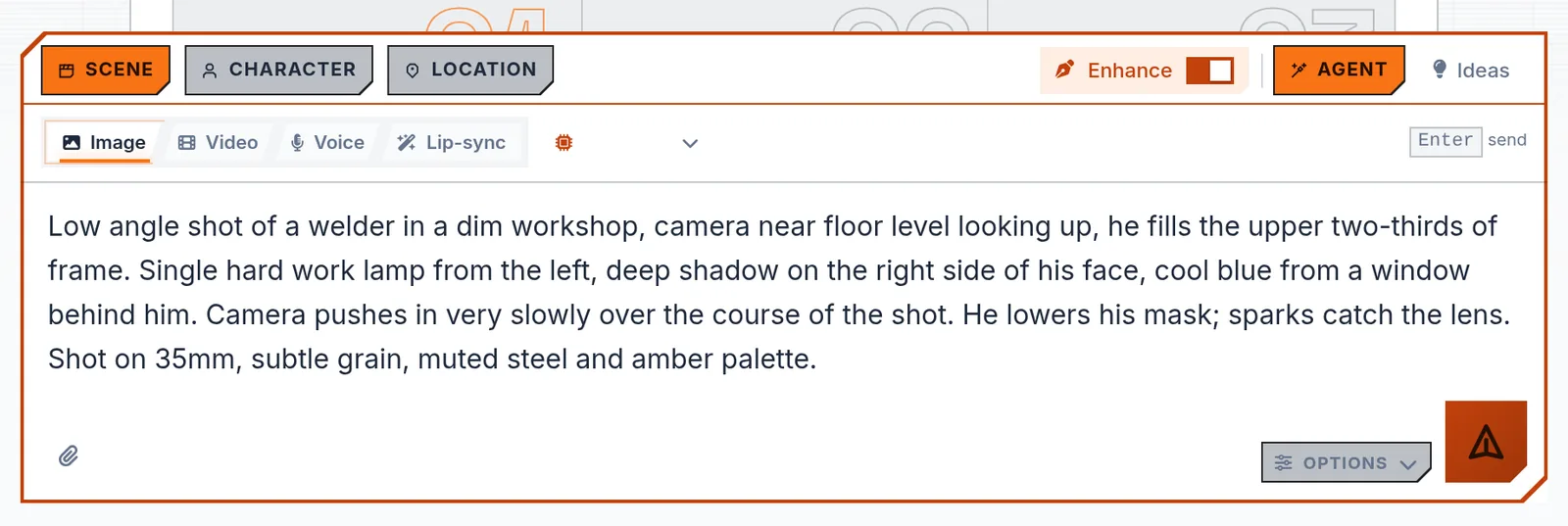
If you are writing prompts programmatically, cap them yourself rather than letting the provider do it. Truncating deliberately at a clause boundary produces a coherent shorter prompt; truncating at character 1,000 produces a sentence that stops mid-word, and some models handle that noticeably worse than a clean short prompt.
The same applies to reference images
Prompt length isn't the only silent limit. Image inputs have their own caps — number of reference images, maximum file size, accepted formats — and exceeding them tends to fail the same quiet way: the extra references are ignored rather than rejected.
If you supply four reference images and the model accepts one, you will not generally be told which one it used.
The short version
Check the cap for the specific model you're targeting, not the one you tested on. Front-load the clauses you can't afford to lose. And when output is disappointingly generic despite a long careful prompt, count the characters before you rewrite anything — the problem may be that the model never read the half you were proudest of.
Limits above are from the model catalogue as configured on 11 August 2026. Providers change these without announcement; treat the table as a snapshot rather than a contract.
Keep reading
Same shelfThe Anatomy Of A Prompt That Still Works Next Quarter
Subject, action, setting, camera, light, style. Six slots. Fill them in that order and most of what people call prompt engineering disappears.
Change One Thing: How To Iterate On A Prompt
Rewriting the whole prompt after a bad result teaches you nothing. Changing one clause at a time is slower per attempt and far faster overall.
Why You Should Generate The Image First, Then Animate It
Text-to-video gives you one roll of the dice on everything at once. Image-first splits it into two cheap decisions you can actually control.