Activity Feed
Track every interaction and event related to your leads
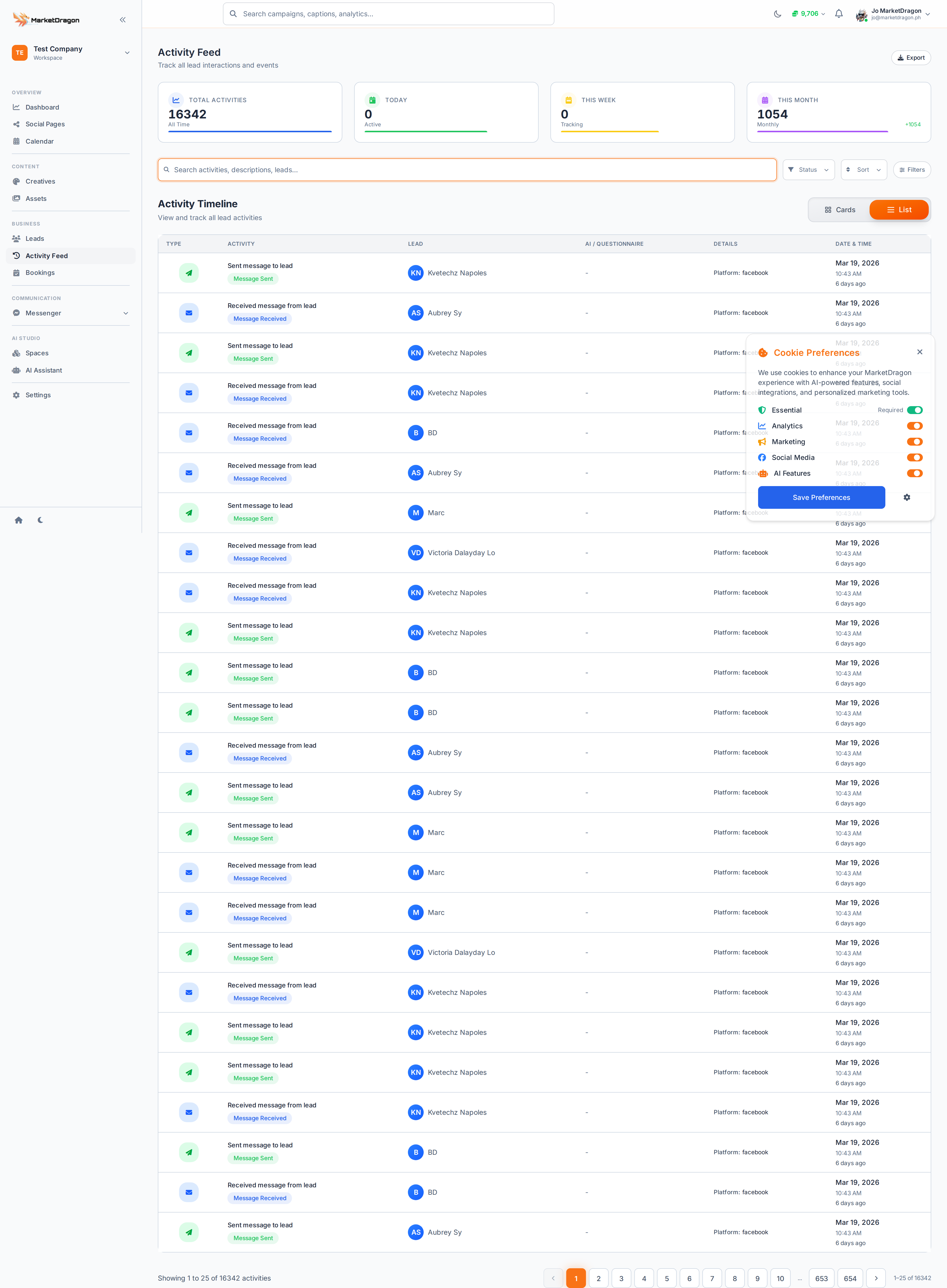
The Activity Feed gives you a chronological timeline of every interaction across your leads. It is your single source of truth for what is happening with your contacts.
Accessing the Activity Feed
Click Activity Feed in the sidebar. The feed loads with the most recent events at the top.
What Gets Tracked
The feed records events automatically:
- Lead created -- A new lead was added (manually or captured)
- Status changed -- A lead moved from one status to another
- Message received -- A lead sent a message via Messenger
- Message sent -- You or an auto-responder replied to a lead
- Booking made -- A lead booked an appointment
- Questionnaire completed -- A lead finished a qualification form
- Note added -- A team member added a note to a lead
Filtering the Feed
Use the filter bar at the top to narrow the feed:
- By lead -- Show activity for a specific person
- By event type -- Show only messages, bookings, or status changes
- By date range -- Focus on a specific time window
Using the Activity Feed
- Review each morning to see overnight activity
- Spot leads that are actively engaging and need a response
- Identify bottlenecks where leads stall in the pipeline
Tip: Pair the Activity Feed with the Sales pipeline to quickly find leads that are engaged but have not been moved forward.
Next Steps
Video tutorial coming soon
A video walkthrough for this tutorial is being produced. Switch to Read mode for the full written guide.