Auto Responder: Complete Guide
Auto responders instantly reply to customer inquiries, offer 24/7 support, answer FAQs, and guide users through your sales funnel.
⚠️ IMPORTANT NOTE FOR DEVELOPERS: This tutorial describes ideal auto responder functionality. Some features mentioned may not be fully implemented in the current version of the application. Use this as a reference guide for:
- Planning future feature development
- Understanding auto responder best practices
- Designing the complete user experience
Features to verify/implement:
- Trigger keyword system
- Event-based triggers
- Conditional logic/rules engine
- Variable personalization system
- Button actions (URL, postback, call)
- Carousel/card support
- Template library
- Analytics tracking
- Multi-platform compatibility
- Post-response actions/routing
Overview
Auto Responders are automated messaging systems that instantly respond to customer inquiries without human intervention. They help car dealerships provide 24/7 support, answer questions about inventory and test drives, and guide potential buyers through the sales process - all while saving time and resources.
What is an Auto Responder?
An auto responder is a rule-based system that:
- Listens for specific triggers (keywords, phrases, or events)
- Analyzes the incoming message or action
- Responds automatically with pre-configured content
- Routes conversations to the right team or action
Why Use Auto Responders?
Business Benefits
⚡ Instant Response
- Reply to customers in milliseconds
- No waiting for business hours
- Handle multiple conversations simultaneously
💰 Cost Savings
- Reduce sales team workload by 40-60%
- Handle routine inquiries about inventory, pricing, and hours automatically
- Scale customer service without hiring more staff
😊 Better Customer Experience
- Immediate response to vehicle inquiries
- Instant test drive scheduling
- 24/7 availability even when dealership is closed
📊 Data Collection & Lead Generation
- Qualify car buyers automatically
- Gather trade-in information
- Track which vehicles get the most inquiries
- Capture customer preferences (budget, features, timeline)
How Auto Responders Work
1. Triggers
Triggers are conditions that activate your auto responder.
Keyword Triggers:
- Customer types specific words or phrases
- Examples: "hours", "inventory", "test drive", "financing", "trade-in value"
Event Triggers:
- Actions that happen in your system
- Examples: New lead inquiry, test drive scheduled, vehicle reserved, form submitted
Time Triggers:
- Scheduled or time-based conditions
- Examples: After hours, test drive reminder, follow-up after dealership visit
2. Conditions (For consideration)
Add conditions to make responses more relevant:
Customer Attributes:
- New vs. returning customer
- VIP status or loyalty tier
- Location or language
- Previous purchase history
Context:
- Time of day/week
- Current conversation stage
- Channel (Facebook, WhatsApp, etc.)
Custom Rules:
- Shopping cart value
- Account type
- Support ticket status
3. Response Types
Choose the right response format for your message:
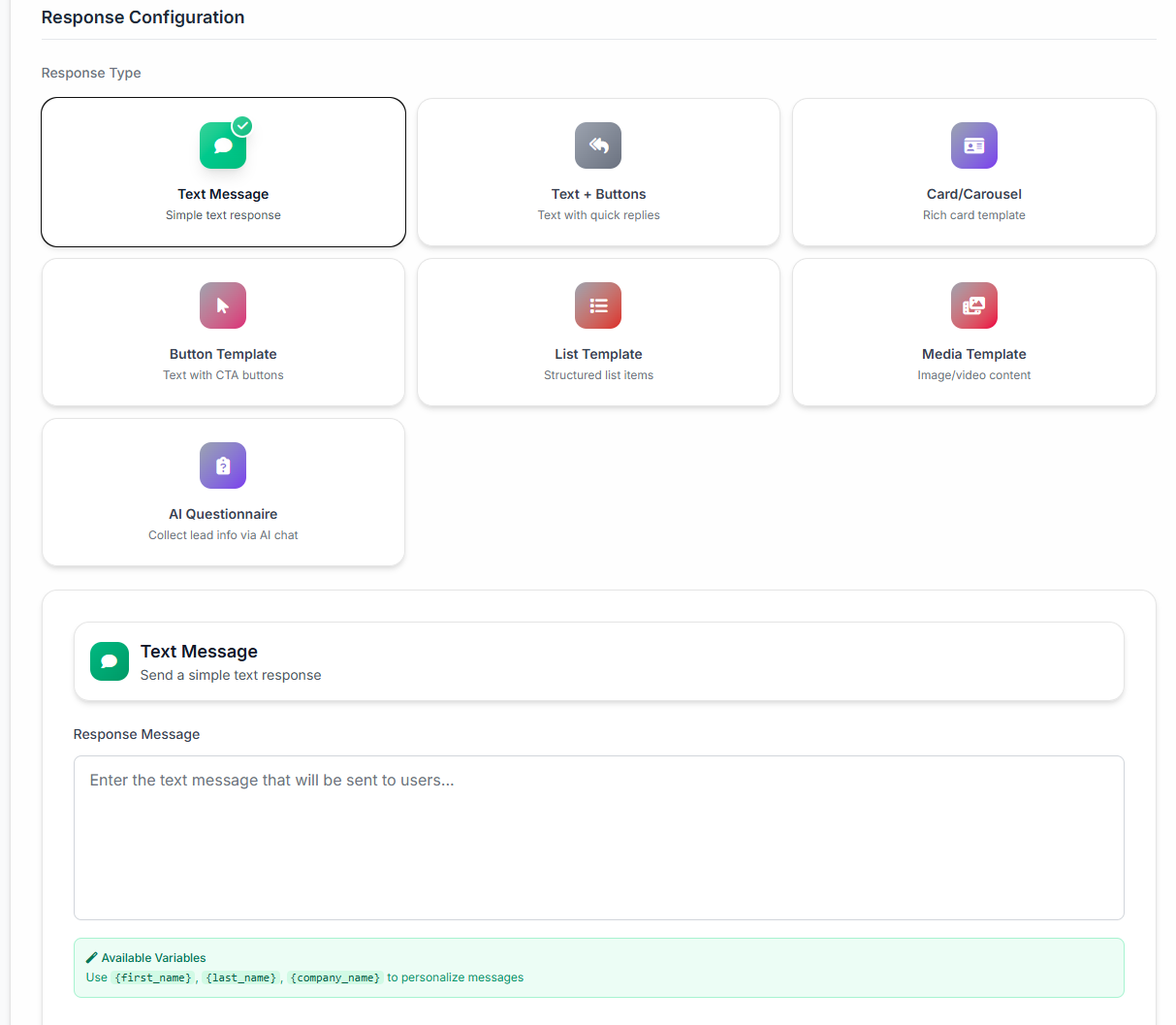
Text Response
Simple text messages for quick answers.
Best for:
- Simple questions
- Acknowledgments
- Information sharing
Example:
Thanks for contacting us! Our business hours are Mon-Fri 9AM-6PM EST.
Text with Buttons
Text messages with interactive buttons for actions.
Best for:
- Menu navigation
- Quick actions
- Choice-based interactions
Example:
How can I help you today?

[📦 Track Order] [💬 Contact Support] [🏪 Shop Now]

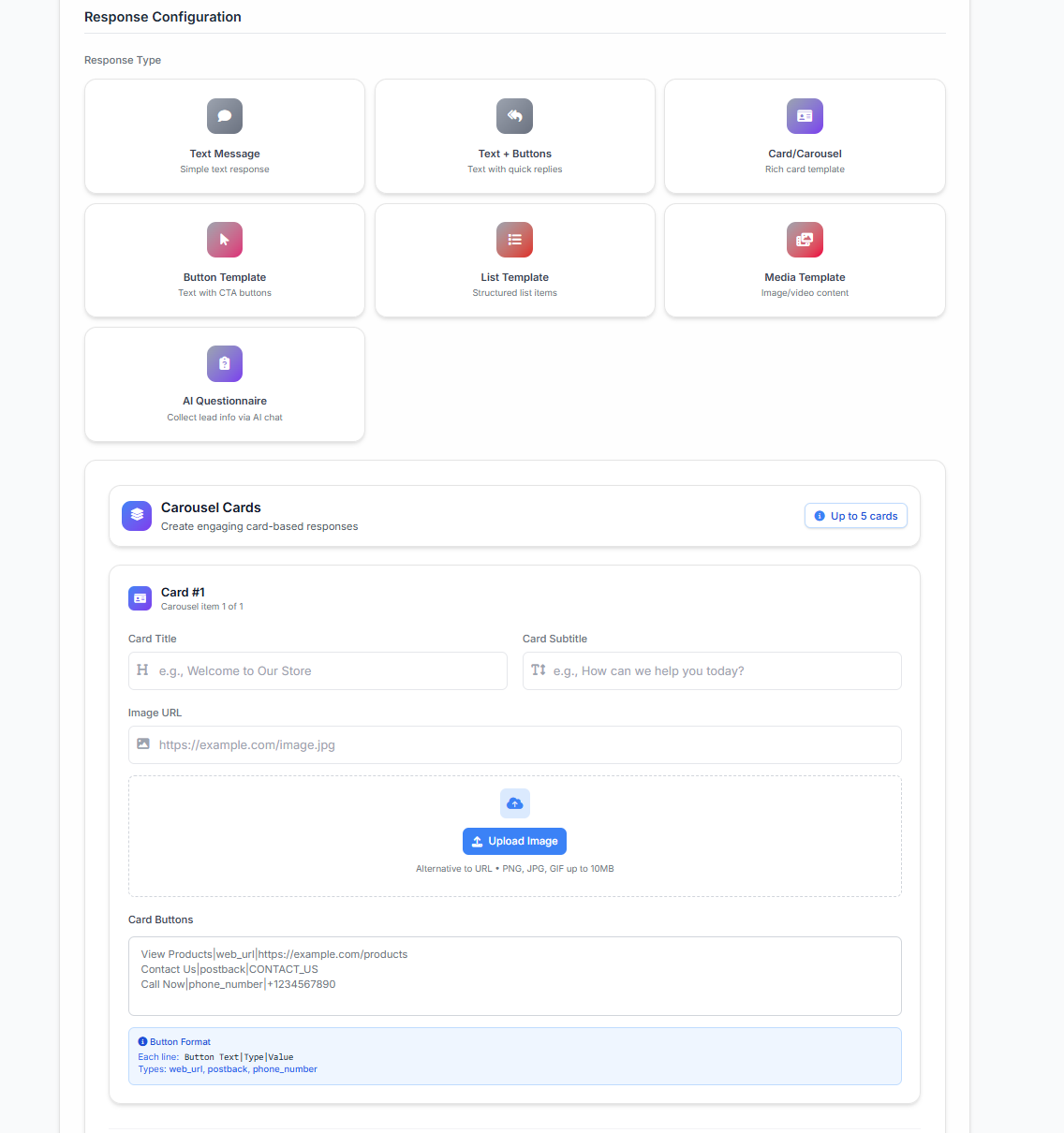
Carousel/Cards
Visual cards with images for rich content.
Best for:
- Product showcases
- Service menus
- Visual catalogs
- Location finders
Example: Horizontal scrollable cards showing products with images, titles, prices, and "Buy" buttons.
Generic Templates (For Consideration)
Pre-built templates for common scenarios.
Best for:
- Quick setup
- Standard use cases
- Consistent branding
Example: Welcome message, order confirmation, appointment reminder templates.
4. Actions & Routing
After responding, perform additional actions:
Conversation Management:
- Tag conversation with topic
- Assign to specific team/agent
- Set priority level
- Close conversation if resolved
Data Operations:
- Save customer preferences
- Update CRM records
- Create support tickets
- Log analytics events
Follow-up Actions:
- Schedule follow-up messages
- Trigger email campaigns
- Send notifications to team
- Start automation workflows
Auto Responder Workflow Example
Let's see a complete auto responder in action:
Scenario: Vehicle Inquiry
1. Customer Message: "Do you have the 2024 RAV4 in blue?"
2. Trigger Matches: Keywords: "2024 RAV4" + "blue" + Context: inventory inquiry
3. Conditions Check:
- Vehicle model exists: ✅ Yes
- Color available: ✅ Yes (Blueprint color)
- In stock: ✅ Yes (2 units)
- Dealership location: ✅ Near customer
4. Auto Response Sent:
Great news! We have the 2024 RAV4 in Blueprint (blue). 🚙

📍 In Stock: 2 units at our Main Street location
💰 Starting Price: $32,500
⛽ MPG: 28 city / 35 highway

[📅 Schedule Test Drive] [💰 Get Pre-Approved] [📸 See Photos] [💬 Chat with Sales]
5. Actions Performed:
- Tagged conversation: "vehicle-inquiry-rav4-blue"
- Tracked: Interest in RAV4 + Blueprint color
- Created lead in CRM with vehicle preference
- If customer clicks "Schedule Test Drive": Show calendar
- If customer clicks "Chat with Sales": Route to available sales rep
Common Use Cases
Customer Support
Business Hours Inquiry
- Trigger: "hours", "open", "when"
- Response: Business hours, timezone, holiday schedule
- Action: Offer alternative contact methods
Order Tracking
- Trigger: "track", "where is my order", order number
- Response: Current order status and tracking link
- Action: Update customer on shipping progress
Return/Refund Policy
- Trigger: "return", "refund", "exchange"
- Response: Policy details and return process
- Action: Create return ticket if needed
Sales & Marketing
Product Recommendations
- Trigger: "show me", "looking for", product category
- Response: Curated product carousel
- Action: Track preferences, follow up with deals
Pricing Inquiries
- Trigger: "price", "cost", "how much"
- Response: Pricing tiers or quote request
- Action: Route to sales team if high-value
Lead Qualification
- Trigger: New subscriber, "interested"
- Response: Questions to understand needs
- Action: Segment and route to appropriate sales rep
Appointments & Scheduling
Book Appointment
- Trigger: "book", "schedule", "appointment"
- Response: Available times or booking link
- Action: Create calendar event, send confirmation
Appointment Reminders
- Trigger: 24 hours before appointment
- Response: Reminder with details and location
- Action: Allow reschedule/cancel options
Post-Appointment Follow-up
- Trigger: 1 hour after appointment
- Response: Thank you + feedback request
- Action: Send review link, schedule follow-up
E-commerce
Cart Abandonment
- Trigger: Items in cart for 2+ hours, no purchase
- Response: Reminder + discount code
- Action: Track cart recovery, measure ROI
Order Confirmation
- Trigger: Order completed
- Response: Order summary, tracking info, estimated delivery
- Action: Upsell related products
Product Back in Stock
- Trigger: Previously out-of-stock item available
- Response: Notification with product link
- Action: Offer limited-time priority access
Best Practices
Do's ✅
1. Keep it Conversational
- Write like you're talking to a friend
- Use natural language, not robotic
- Add personality with emojis (when appropriate)
2. Be Clear About Automation
- Let customers know they're talking to a bot initially
- Offer easy path to human support
- Set expectations for response times
3. Test Thoroughly
- Test all triggers and responses
- Try edge cases and unusual inputs
- Get team feedback before launching
4. Monitor and Optimize
- Track engagement metrics
- Update responses based on feedback
- Remove or improve low-performing responders
5. Provide Escape Hatches
- Always offer "Talk to Human" option
- Don't trap users in automation loops
- Make it easy to get real help
Don'ts ❌
1. Don't Over-Automate
- Complex issues need human touch
- Don't replace empathy with efficiency
- Know when to hand off to humans
2. Don't Use Stale Content
- Update seasonal references
- Keep business hours current
- Remove outdated promotions
3. Don't Ignore Context
- Consider conversation history
- Respect customer preferences
- Adapt to customer mood/urgency
4. Don't Spam
- One auto response per trigger
- Don't send multiple messages
- Respect conversation flow
5. Don't Forget Privacy
- Comply with GDPR, CCPA, etc.
- Don't share personal data inappropriately
- Allow opt-out options
Getting Started
Ready to create your first auto responder? Follow this learning path:
Step 1: Learn the Basics
Start with simple text responses to understand the fundamentals. → Text Responses Tutorial
Step 2: Add Interactivity
Enhance your responses with action buttons. → Text with Buttons Tutorial
Step 3: Create Visual Experiences
Build engaging carousel responses with images. → Carousel/Cards Tutorial
Step 4: Use Templates
Speed up creation with pre-built templates. → Generic Templates Tutorial
Success Metrics
Track these metrics to measure auto responder effectiveness:
Response Time
- Average time to first response
- Target: Under 1 minute
Resolution Rate
- % of inquiries resolved without human
- Target: 40-60% for routine questions
Customer Satisfaction (CSAT)
- Rating after auto responder interaction
- Target: 4+ out of 5
Engagement Rate
- % of customers who interact with buttons/cards
- Target: 30-50%
Handoff Rate
- % requesting human support
- Target: Under 30%
Platform Compatibility
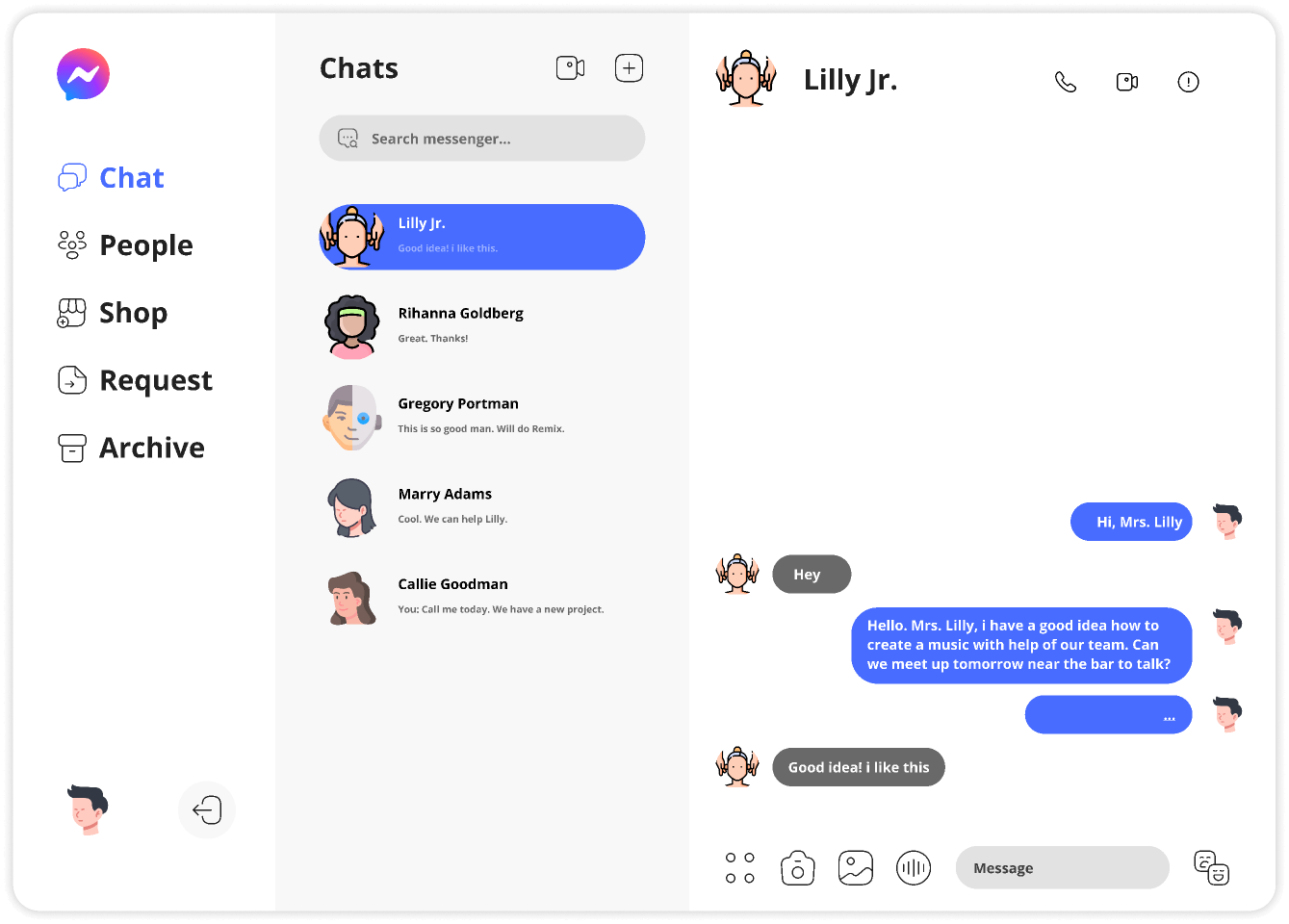
📱 CURRENT PLATFORM: Facebook Messenger Only
This application currently supports Facebook Messenger exclusively. All examples and features in these tutorials are specific to Facebook Messenger.
Facebook Messenger Features Supported:
- ✅ Text responses
- ✅ Quick reply buttons (up to 13)
- ✅ Carousel cards (up to 10 cards)
- ✅ Generic templates
- ✅ Persistent menu
- ✅ Get Started button
Future platform support may include Instagram Direct, WhatsApp Business, and web chat.
Next Steps
Choose your path based on your needs:
New to Auto Responders? → Start with Text Responses tutorial
Need Quick Setup? → Jump to Generic Templates tutorial
Want Rich Experiences? → Explore Carousel/Cards tutorial
Ready for Advanced Features? → Learn about Conditional Logic and Personalization
Support & Resources
Need help? We're here for you:
- 📚 Documentation: Complete API reference (Coming Soon)
- 💬 Community Forum: Get answers from other users (Coming Soon)
- 🎓 Video Tutorials: Watch step-by-step guides (Coming Soon)
- 🆘 Support Team: Contact us anytime
Video tutorial coming soon
A video walkthrough for this tutorial is being produced. Switch to Read mode for the full written guide.